
I'm just beginning to discover Netlify, but I really enjoy the platform. Did you know that Netlify allows you to download the source files for each deploy? That effectively means that you can use Netlify as a build-tool and host the static files somewhere else! Exciting, isn't it?
Recently I've been playing around a bit with Ghost and I was looking for a way to download all the images and uploaded content. That turned out to be more difficult than expected, but I did find a nice solution that involved converting all posts to Jekyll with Netlify. But I still didn't have the files, but luckily I could download them.
How to download your latest Netlify deploy
First, go to your Netlify account. Select your project and click on Deploys. This should give you a screen like below:
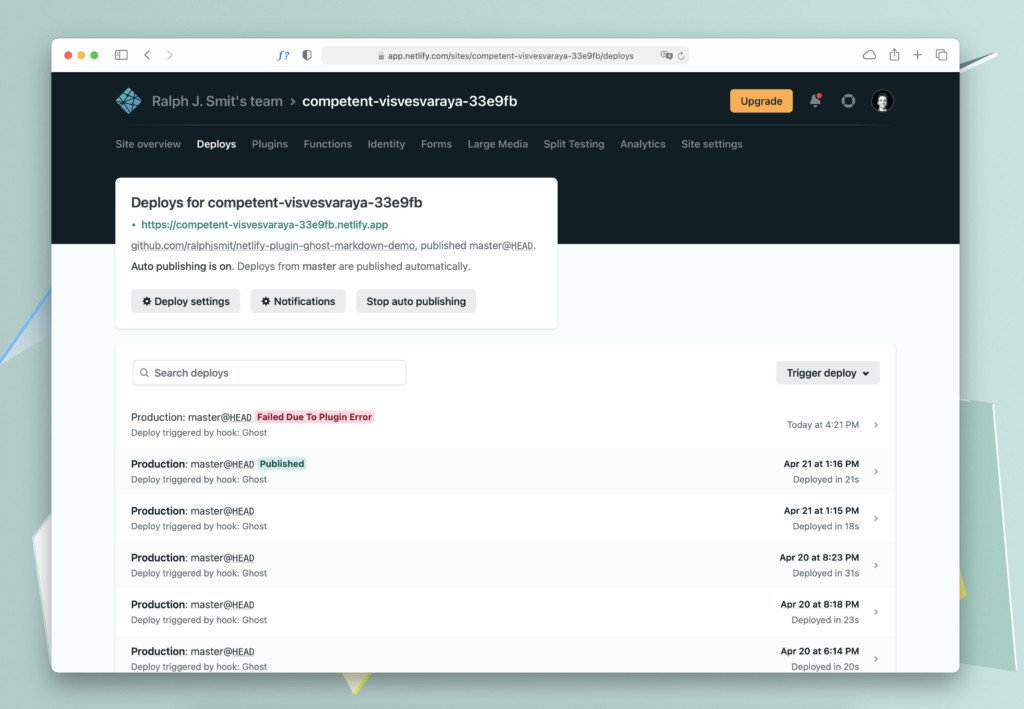
Viewing your Netlify builds.
Then, select an individual deploy and download it with the download button:
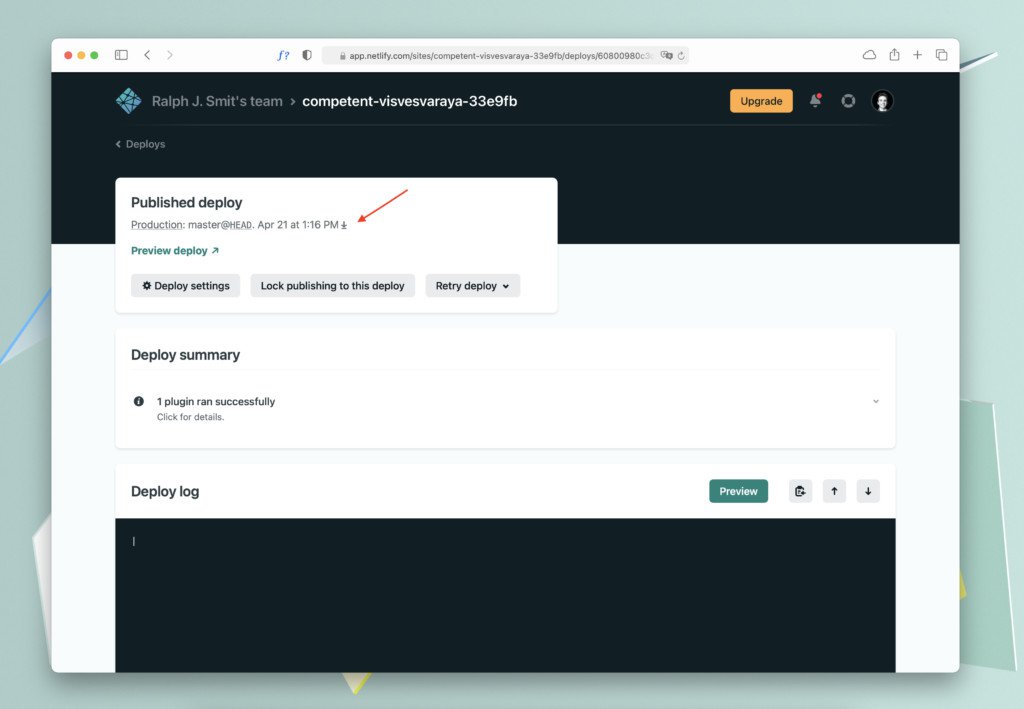
Downloading your Netlify build.
This will give you a zip-file with the source files of your latest Netlify deploy.
Conclusion
This was a very short article, but hopefully not less helpful! Follow me on Twitter for more helpful tips or leave your feedback in the comments.👇
- Published
- 27 April 2021
- Category
- Netlify